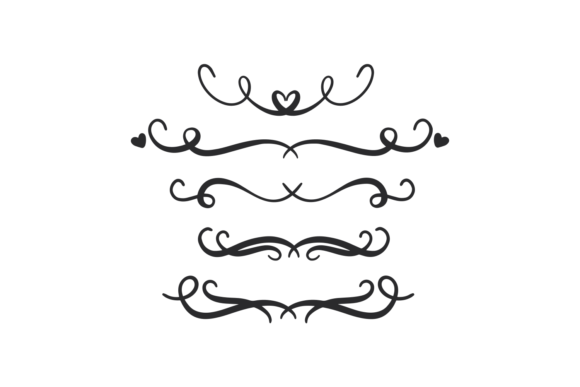
Decorative Separator
When you are designing something that needs to look polished and professional, the difference between "good" and "great" often comes down to the small details. One of those details is the Decorative Separator. It might sound like a minor element, but in the world of crafting, digital design, and print media, separators act as the visual breathers that guide the reader’s eye and organize content without cluttering the page.
If you’ve ever struggled with a layout that feels too dense or disjointed, adding a well-placed decorative divider can be the solution you didn’t know you needed. Whether you are creating a custom wedding invitation, organizing a digital planner, or designing marketing materials for your small business, understanding how to use these elements effectively can elevate your work significantly.
What Exactly Is a Decorative Separator?
At its core, a Decorative Separator is a graphic element used to divide sections of text, images, or other design components. Think of it as a visual pause button. Instead of using a plain horizontal line or a blank space, you introduce an ornamental break that adds style, personality, and structure to your project.
These dividers come in countless styles—from elegant filigree and floral motifs to modern geometric shapes and whimsical doodles. The key advantage of using a digital file for this purpose is flexibility. You aren't stuck with a static image; you have a vector asset that can be resized, recolored, and manipulated to fit your specific vision.
Real-World Applications: Where Separators Shine
The beauty of the Decorative Separator lies in its versatility. It isn't just for one type of project. Here is how different creators and industries are putting these files to work in their daily workflows.
Event Planning and Stationery
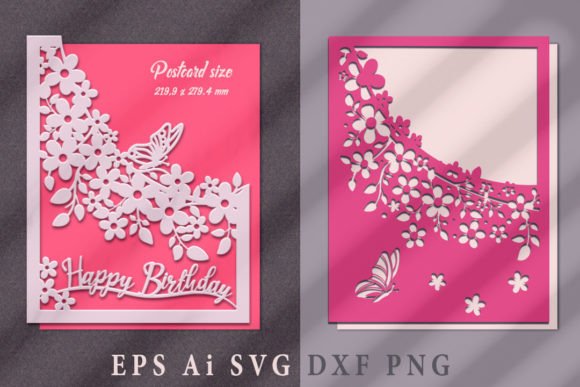
Wedding invitations, save-the-dates, and reception menus are classic candidates for decorative dividers. A delicate lace-style separator can add a touch of romance between the ceremony time and the cocktail hour details. For a more rustic theme, a wood-grain or botanical divider can bridge the gap between the host's names and the venue information. Because these designs are often intricate, having a high-quality vector file ensures that even the smallest flourishes remain crisp when printed on premium cardstock.
Digital Planners and Productivity Tools
For the growing community of digital planners, organization is everything. A Decorative Separator can serve as a functional header for weekly spreads, separating Monday from Tuesday, or dividing a "To-Do" list from a "Notes" section. Users who create planners for platforms like GoodNotes or Notability appreciate that these SVG files can be imported directly into their design software, allowing them to customize colors to match their monthly themes.
Social Media and Digital Marketing
In the fast-scrolling world of Instagram, Pinterest, and TikTok, capturing attention quickly is vital. Designers use decorative separators to break up long captions in carousel posts or to create visually appealing quote graphics. A stylish divider can separate a brand’s logo from their contact information on a flyer, making the call-to-action pop. It’s a subtle way to maintain brand consistency while keeping the design dynamic and engaging.
Scrapbooking and Paper Crafts
Traditional crafters love the tactile experience of cutting out their own embellishments. By using a Decorative Separator file, scrapbookers can cut intricate borders and dividers from patterned paper, vellum, or foil stock. This allows for a level of customization that pre-made stickers simply cannot match. Imagine cutting a gold-foil separator to highlight a special memory on a family tree—it adds a layer of elegance that feels handmade and personal.
Why Vector Formats Matter
You might wonder why the format of your file is so important. When you download a package containing SVG, PNG, EPS, and DXF formats, you are ensuring compatibility with almost every tool in your arsenal. This is particularly crucial if you use a cutting machine.
Machines like the Cricut Explore, Silhouette Cameo, Brother Scan N Cut, and software like Sure Cuts a Lot rely on clean vector paths to make precise cuts. An SVG or DXF file provides these paths, allowing the machine to follow the intricate curves of your Decorative Separator without any pixelation or blurriness. If you were to use a low-resolution JPEG instead, the machine might struggle to detect the edges, resulting in jagged cuts or missed details.
The inclusion of a PNG file in your ZIP download is also a smart move. It gives you a raster option for quick insertion into programs that don’t support vectors, such as basic photo editors or social media apps, ensuring you can use the design anywhere, anytime.
Considerations Before You Start Cutting
While Decorative Separators are incredibly useful, there are a few practical considerations to keep in mind to ensure your project turns out perfectly.
- Complexity vs. Material: Intricate designs look stunning on vinyl or cardstock, but they can be challenging on fragile materials like tissue paper or thin fabric. If you are working with delicate substrates, choose a separator with thicker lines and fewer tiny cut-outs to prevent tearing during the weeding process.
- Scale and Proportion: Always preview your design at the actual size you intend to print or cut. A separator that looks balanced on a phone screen might become overwhelming on a large banner, or too faint on a small tag. Adjusting the scale within your cutting software before sending it to the machine saves time and material.
- Color Matching: Since you are working with vectors, you can change the color digitally, but remember that physical materials have limitations. Metallic foils, glitter vinyls, and translucent films will interact with light differently than standard matte paper. Test a small sample first to see how the chosen material enhances the decorative details.
Maximizing Your Creative Potential
One of the best things about a digital Decorative Separator is that it doesn’t have to stay as a simple divider. Once you have the file, you can get creative. Try flipping the design horizontally to create symmetry. Layer multiple separators with different opacities to create depth. Or, use them as standalone focal points by framing a central image or text block.
For businesses, these assets can streamline your branding process. Create a library of your favorite separators and apply them consistently across all your materials—business cards, letterheads, and email signatures. This consistency builds recognition and trust with your audience.
Ultimately, the value of a Decorative Separator isn’t just in the file itself, but in how it empowers you to communicate better. It helps structure your message, enhances the aesthetic appeal of your work, and adds a professional finish to both digital and physical projects. With instant access to versatile formats compatible with your preferred tools, you have everything you need to bring your creative ideas to life with precision and style.